
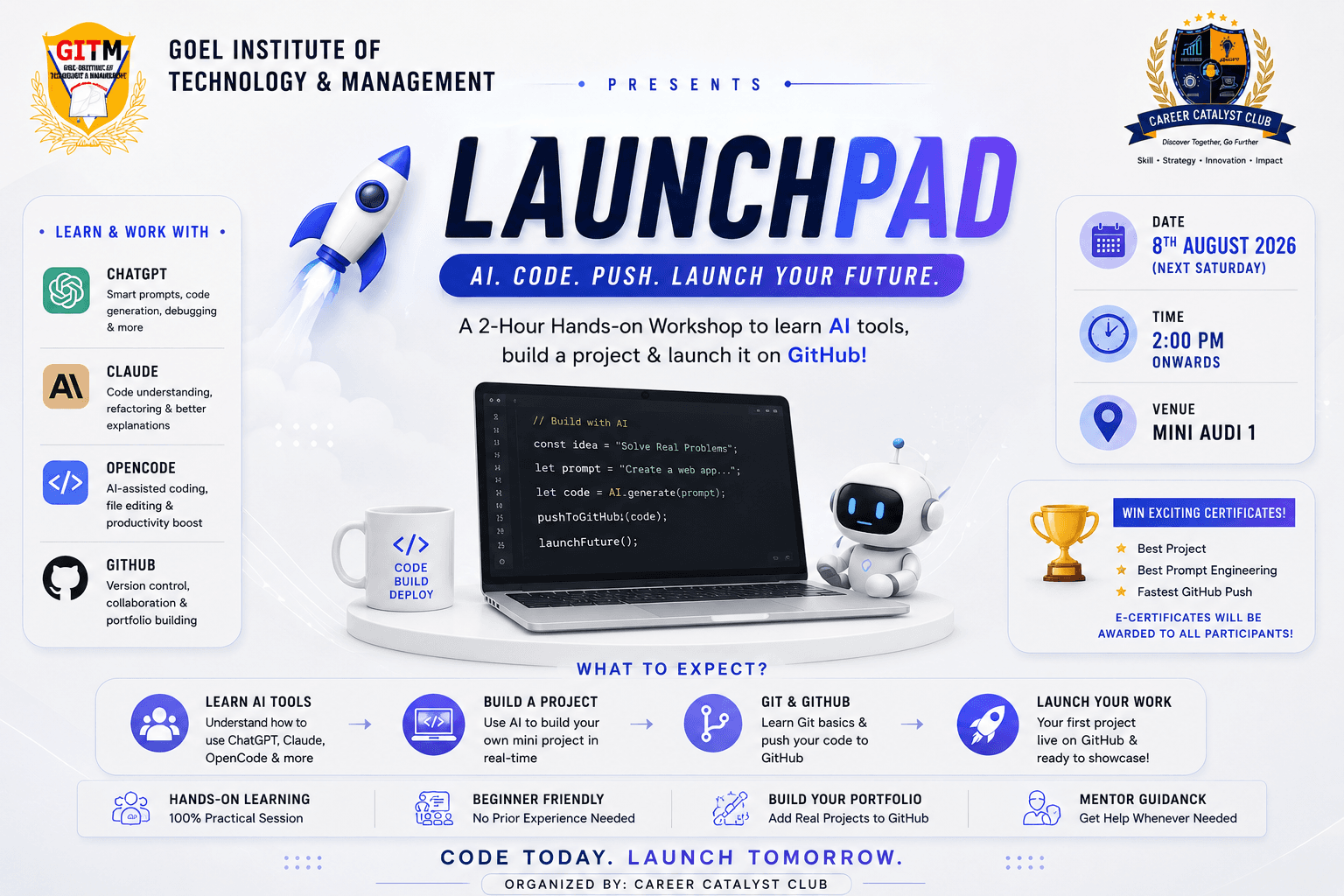
The event is designed to introduce students to the modern AI-assisted software development workflow. Participants will learn how to use AI tools effectively, generate code through prompt engineering, understand the role of Git and GitHub, build a small working project, and publish it on GitHub as part of their development portfolio.
📖 Learning Outcomes
By the end of the workshop, every participant will be able to:
Understand modern AI coding workflows.
Write effective prompts for code generation.
Generate, modify, and debug code using AI.
Understand Git and GitHub fundamentals.
Create and manage GitHub repositories.
Push a complete project to GitHub.
Build the foundation of a professional developer portfolio.
⏰ Detailed Timeline (120 Minutes)
Phase 1 — Welcome & Introduction (0–10 Minutes)
Activities
Welcome participants
Introduction to Career Catalyst
Workshop objectives
AI in modern software development
What students will achieve by the end of the session
Outcome: Students understand the agenda and expected learning outcomes.
Phase 2 — Understanding AI Development Tools (10–45 Minutes)
Topics Covered
ChatGPT
Prompt Engineering Basics
Code Generation
Debugging
Code Explanation
Documentation
Claude
Understanding large codebases
Refactoring
Better documentation
Project planning
OpenCode (or similar AI coding assistant)
AI-assisted project generation
Editing existing files
Productivity improvements
Working with multiple files
Best Practices
Avoid blindly copying AI-generated code.
Verify generated code.
Ask AI for explanations.
Break large problems into smaller prompts
Phase 3 — Git & GitHub Fundamentals (45–60 Minutes)
Topics:
What is Version Control?
Git vs GitHub
Why companies use Git
Repository
Branch
Commit
README
Open Source
Portfolio Importance
Live Demonstration:
Creating GitHub Account
Creating Repository
Installing Git
Git Configuration
Phase 4 — Hands-on AI Build Challenge (60–100 Minutes)
Students receive one common problem statement.
Example options:
Personal Portfolio
Calculator
Expense Tracker
Student Result System
To-Do App
Weather App
Digital Resume
Rules:
AI tools are allowed.
Internet is allowed.
Students should understand the generated code.
Mentors can guide but will not write code.
Deliverables:
Working project
Clean folder structure
README file
Phase 5 — Publish to GitHub (100–115 Minutes)
Students will:
Initialize Git
git init
Track files
git add .
Commit
git commit -m "Initial Commit"
Connect Remote
git remote add origin REPOSITORY_URL
Push
git push -u origin main
Students will leave with their first public GitHub project
Phase 6 — Showcase & Closing (115–120 Minutes)
Selected students demonstrate:
Their prompts
Their project
Their GitHub repository
Certificates and group photo
During the hands-on session, participants will complete a short AI-assisted development task.
🛠️ Software Required
VS Code
Git
GitHub Account
ChatGPT
Claude (Optional)
OpenCode or another AI coding assistant (Optional)
Google Chrome